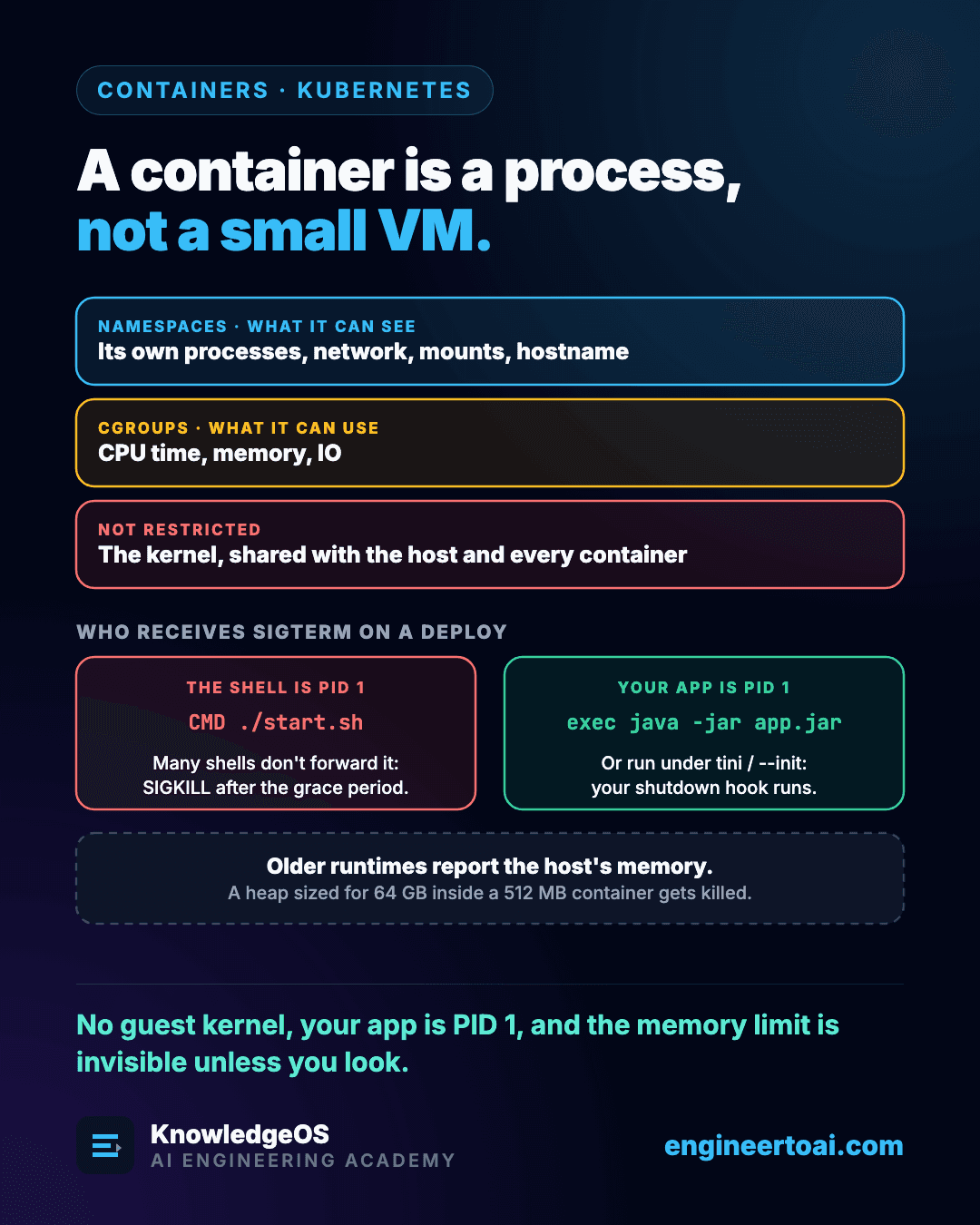
There is no guest kernel inside a container, and nothing is virtualised. A container is an ordinary Linux process on the host; run ps on the host and you will see it. What makes it a container is two kernel features wrapped around that process:
- Namespaces restrict what it can see: its own process tree, network stack, mounts and hostname.
- cgroups restrict what it can use: CPU, memory and IO.
Picturing it as a small virtual machine is where most container surprises come from. Three of them turn up in support queues again and again.
The kernel is shared
Every container on a node runs on the host's kernel. A kernel vulnerability is therefore a host vulnerability, and a container escape is a real category of incident rather than a theoretical one. Containers are a convenient isolation boundary, but not one strong enough for running untrusted code from strangers. That needs a VM, Firecracker or gVisor.
Your process is PID 1
Inside its PID namespace your application is process 1, and PID 1 plays by different rules: it gets no default signal handlers, and it must reap its zombie children. Whether a deploy shuts your service down cleanly depends on which process ends up in that slot.
| Container command | PID 1 is | On SIGTERM |
|---|---|---|
CMD ["java","-jar","app.jar"] | The JVM | The shutdown handler runs |
CMD ./start.sh | The shell | Many shells don't forward it, so SIGKILL arrives after the grace period |
Run with tini or --init | An init process | Forwarded, and zombie children are reaped |
This is the mechanism behind a very common bug. The grace period is set correctly, the application implements shutdown correctly, and pods are still killed hard on every deploy, because a shell sits between the signal and the code.
Think Like an Engineer
The exec form CMD ["./start.sh"] removes the wrapping shell, but the script still runs under its own interpreter, and that interpreter becomes PID 1. If the script ends with exec java -jar app.jar, the JVM replaces it and receives the signal. Without that one exec, nothing has changed.
Memory limits are visible only if you look
Older runtimes report the host's memory through the usual interfaces. A JVM or Node process then sizes its heap for a 64 GB machine while it lives in a 512 MB container, and the kernel's OOM killer ends it with a SIGKILL that no shutdown code can catch. Modern JVMs are container-aware by default. A lot of tuning advice, and a lot of running code, is not: anything that sizes a pool or a cache from "available system memory" will size it for the node.
The tell is a container that dies at a limit far below what its configuration implies.