The quickest way to learn what an MCP server owes its users is to be one first. The reference server that the MCP maintainers publish to exercise every protocol feature is a good place to start: it is safe to run, and it shows exactly why you read a server before you trust it.
Pin the version
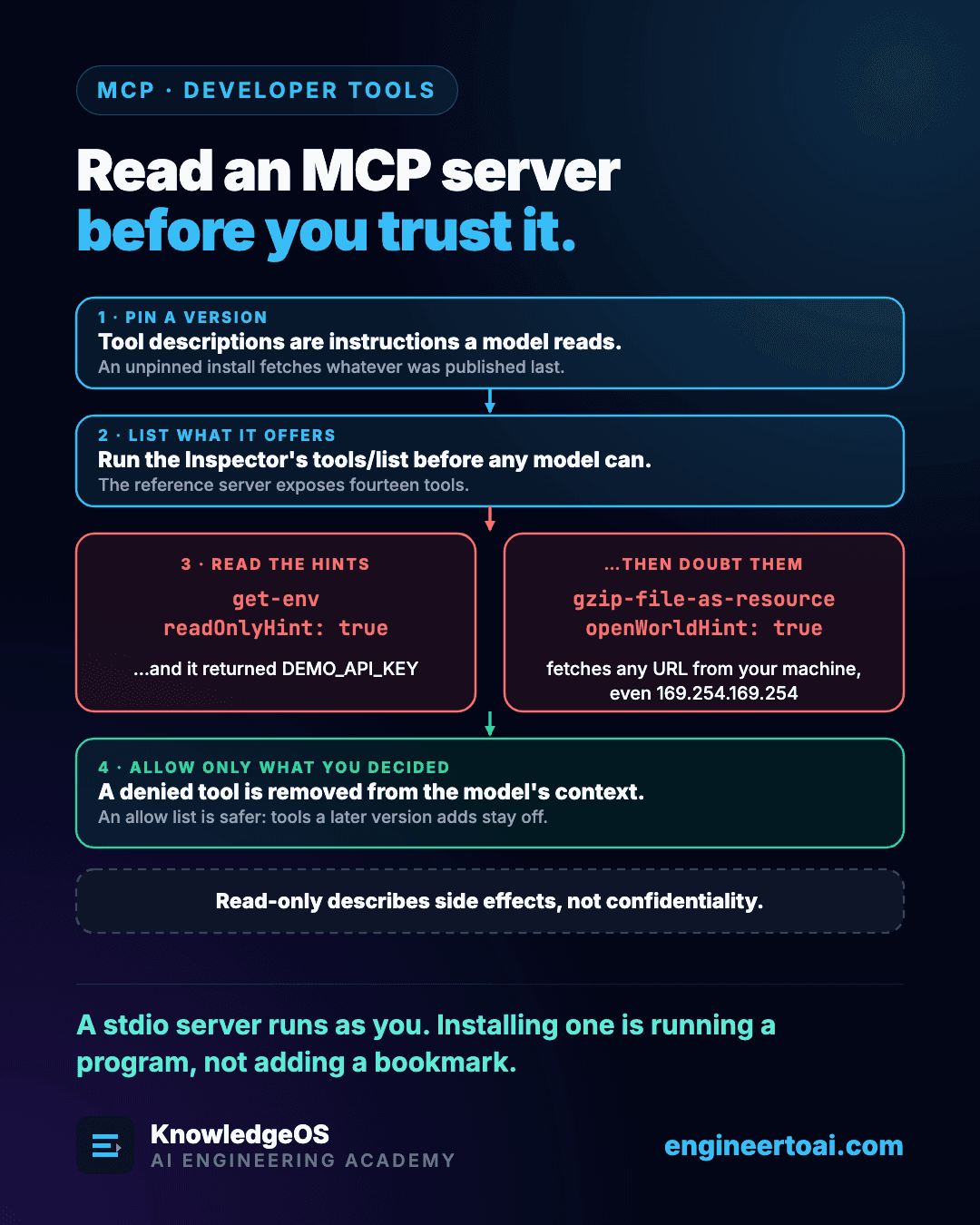
An MCP server's tool descriptions are instructions that a model reads. Start a server with npx some-server and no version, and every start fetches whatever was published last, so a later release can change what those instructions say without you noticing. Pin an exact version, and a change reaches you only when you choose to upgrade and read what changed.
List what it offers
The MCP Inspector, the protocol's own debugging client, has a command-line mode that connects, sends one request and prints the answer. Asked for tools/list, the reference server returns fourteen tools, each with a description, an input schema and four annotations: readOnlyHint, destructiveHint, idempotentHint and openWorldHint.
Two of them deserve a second look.
| Tool | Annotation | What it actually does |
|---|---|---|
get-env | readOnlyHint: true | Returns every environment variable, including the DEMO_API_KEY set for the test |
gzip-file-as-resource | openWorldHint: true | Fetches whatever URL it is given, from the machine the server runs on |
get-env really does change nothing, so its annotation is honest. Read-only describes side effects, not confidentiality. Annotations are also claims a server makes about itself, and the specification tells clients to treat them as untrusted unless the server itself is trusted.
Engineering Insight
gzip-file-as-resource is not marked destructive, yet a model, or text an attacker planted somewhere the model reads, can give it any URL: a router's admin page, a service on localhost, or a cloud metadata endpoint such as 169.254.169.254. The response lands in the model's context. That is server-side request forgery, and openWorldHint: true is the only clue in the annotations.
Allow only what you decided
In Claude Code, add the server and then deny the tools you do not want a model to have, in the project's .claude/settings.local.json:
{ "permissions": { "deny": ["mcp__everything__get-env", "mcp__everything__gzip-file-as-resource"] } }
A denied MCP tool is removed from the model's context entirely, not merely refused when called. In Codex, list the only tools the server may expose with enabled_tools. Of the two, the allow list is safer when a server can grow, because a tool added in a later version stays off until you choose to enable it.
A stdio server runs as you, with your files, your network and your environment variables. Installing one is running a program, not adding a bookmark.